

Microsoft Power Automate Keeps Invoice Processes Moving
Microsoft Power Automate Brings Structure to Cyprus Invoice Processing
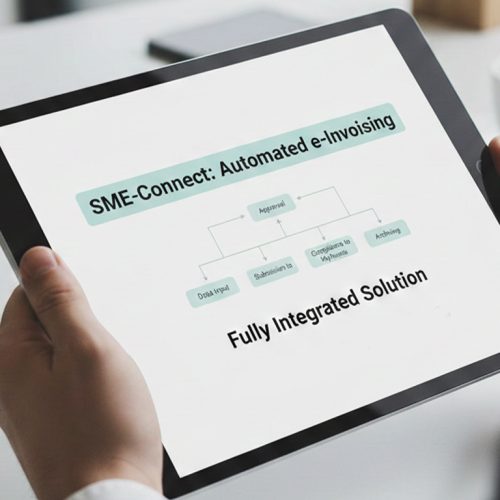
- Start From Business Events: A completed transaction or workflow event can initiate the relevant invoice process for structured document preparation.
- Gather Required Details: Connected applications provide customer, transaction, and invoice information for accurate processing and document preparation.
- Apply Workflow Logic: Power Automate can direct information according to configured business rules and conditions across connected applications.
- Prepare Electronic Data: Advintek takes the relevant information and prepares it for structured e-invoice processing and document exchange.
- Route Through Peppol: The resulting document can be exchanged through the applicable Peppol-connected route for supported Cyprus transactions.
- Return Process Information: Relevant processing details can be made available to connected business workflows for continued visibility and tracking.
Microsoft Power Automate Connects Applications With Cyprus E-Invoicing
Microsoft Power Automate coordinates business application actions, while Advintek adds document processing for Cyprus e-invoicing, helping move relevant invoice information into structured documents and applicable Peppol exchange channels.
- Connects invoice events across business applications.
- Moves selected information between defined workflow stages.
- Prepares relevant records for electronic document processing.
- Supports structured routing through connected Peppol channels.
Microsoft Power Automate Makes Invoice Workflows Easier to Manage
- Automated Process Starts: Invoice-related activities can begin from configured events rather than requiring each workflow to start manually.
- Smarter Information Movement: Selected records can travel between applications according to the logic established within Power Automate.
- Fewer Repeated Tasks: Routine handoffs can be automated, allowing teams to spend less time moving information between systems.
- Clearer Workflow Ownership: Defined process stages make it easier to understand where invoice information sits during processing.
- Flexible Exception Routes: Records requiring additional attention can follow alternative workflow paths without disrupting ordinary transactions.
- Connected Application Operations: Different business tools can participate in one coordinated process while retaining their individual roles.
How Microsoft Power Automate Fits Into Cyprus’s E-Invoicing Framework
Workflow Rule Management
Configured conditions can determine which actions occur as invoice information moves between applications.
Process Status Awareness
Relevant workflow activity can be monitored to identify completed or outstanding processing stages.
Data Transformation Support
Advintek can reshape selected business information into structured electronic invoice data for further exchange.
Microsoft Power Automate Supports Cyprus E-Invoicing Readiness
Microsoft Power Automate manages business information flows, while Advintek handles document preparation for Cyprus e-invoicing. Peppol infrastructure supports applicable public-sector invoice exchange, providing a structured framework for compliant document transmission.
- Structured invoice information follows defined processing routes.
- Relevant records are prepared before exchange.
- Peppol channels support public-sector invoice transmission.
- Workflow records provide context for document review.
Workflows With Advintek
Turn recurring invoice processes into organized workflows using business applications.
Businesses using other ERP, CRM, accounting, or operational platforms can also connect them with Cyprus e-invoicing.
Ready e-Invoice System
Frequently Asked Questions Microsoft Power Automate e-Invoicing Cyprus
1. Can Microsoft Power Automate trigger Cyprus e-invoicing processes?
Yes. Microsoft Power Automate can initiate invoice-related workflows when configured business events occur. Advintek can then process the relevant information for electronic invoicing. This approach allows organizations to retain Power Automate for workflow coordination while using a dedicated connector for structured Cyprus e-invoice processing.
2. Which Microsoft Power Automate information can be used for e-invoices?
The information depends on the connected applications and configured flows. Customer details, transaction references, invoice fields, tax information, and supporting business data may be gathered and passed into the electronic document workflow. Advintek can then transform relevant information into structured invoice data.
3. Does Microsoft Power Automate itself provide Peppol connectivity?
Microsoft Power Automate is primarily a workflow automation service rather than a dedicated Peppol access point. Advintek provides the electronic document processing and connectivity layer, allowing relevant information from automated Power Automate workflows to reach applicable Peppol-based e-invoicing channels.
4. How does Advintek fit into a Microsoft Power Automate workflow?
Microsoft Power Automate can coordinate when and where business information moves, while Advintek focuses on electronic invoice preparation and exchange. This separation lets organizations continue using existing workflow logic while introducing the required document-processing layer for supported Cyprus e-invoicing scenarios.
5. Can Microsoft Power Automate support multiple business applications?
Yes.Microsoft Power Automate is designed to coordinate workflows across connected applications. An organization can use it to collect information from different systems before passing appropriate invoice data into Advintek. This can be useful when customer, operational, and financial information resides across separate applications.